
What a Personal Loan Calculator Actually Computes: Three Numbers, Two Levers
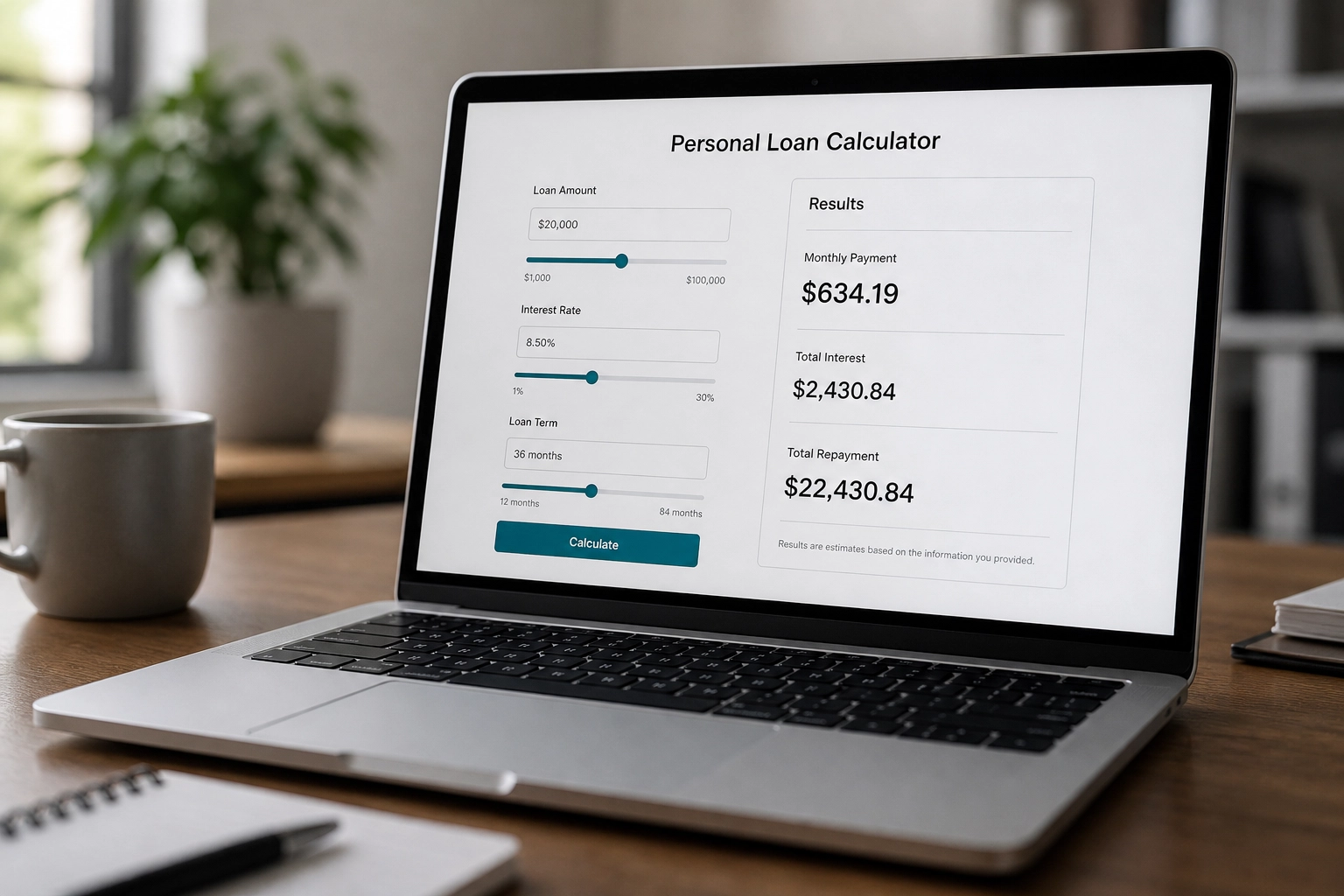
You plug in a loan amount, an interest rate, and a term, and the screen shows you a monthly payment. It feels like an answer. But a personal loan calculator is really a repayment estimator. It is not a verdict on whether you'll get approved or whether that payment fits your life. It answers one narrow question: what would this loan cost per month and in total? The rest is still up to you and your take-home budget.
In this post, we'll walk through what a calculator for personal loan actually computes. You'll see the three numbers it produces, your monthly payment, total interest, and total repayment, and the two inputs that move those numbers the most: the interest rate and the loan term. We'll also cover what the calculator can't know about you, why its output isn't an approval, and how to test a projected payment against your own budget before you sign anything. By the end, you'll know how to read the output as a starting point, not a final answer.
What a Calculator for a Personal Loan Really Answers
A personal loan calculator takes a few simple inputs and returns a few simple outputs: an estimated payment, the interest you would pay, and the total you would pay back. That is math, not underwriting. It does the math and cannot see your income, debts, credit history, or lender approval. Some tools also show a salary figure tied to the payment, turning an estimate into an affordability claim the math cannot back up. The same math applies to any installment loan, even if a form lists only a few loan types. See how to read the numbers. Next: three numbers, the two inputs that move them most, what the tool leaves out, and how to test the payment against your take-home budget.

The Three Numbers the Output Shows You
A standard repayment calculator gives three numbers, not a verdict: monthly payment, total interest, and total repayment.
Monthly payment is the recurring amount due each month. On a fixed-rate personal loan, it stays the same for the life of the loan. Monthly payment is the number people check first and misread most. Total interest is the cumulative cost of borrowing at your rate and term. It is not a fee; it is the running cost of using someone else's money. Total repayment is principal plus interest, plus fees in some tools, the closest thing to a sticker price.
Monthly payment | Total interest | Total repayment |
|---|---|---|
$322 | $1,590 | $11,590 |
Illustrative, not a quote: $10,000 at 10% over 36 months.
None of these numbers says whether the loan is a good idea. They say what it would cost.
Number One: Your Monthly Payment
Your monthly payment is the amount due each month until the loan is paid off. On a fixed-rate personal loan it stays flat, but the mix changes: early payments are mostly interest, later ones mostly principal. That flatness depends on a fixed rate. A calculator that assumes a constant rate cannot show a variable-rate payment that moves. This is the number people most often mistake for approval. It is a cost estimate under assumed terms, not a lender commitment. If you pull figures from a lender's page into a loan calculator for personal loan estimates, treat the result as a planning number until you have rate and terms in writing. See set your car budget for a budget-first approach.
Number Two: Total Interest Over the Life of the Loan
The second number, total interest, is every interest charge across the full term, not a single closing fee. Stretch the term and the monthly payment falls while total interest rises, so a comfortable payment can hide an expensive loan. This figure assumes the rate stays constant; if it changes, total interest changes too, so it is only as good as the rate you typed in. Calculator forms often ask for loan fees. A 1% to 6% fee hint on one form is a vendor hint, not market pricing, and the 3% to 15% rate hint beside it is not a market rate either. For current context, use a regulator or official statistics source and label it. When offers have different terms, compare total interest, not monthly payment. If other debts are in the mix, learn how debt-to-income ratio works.
Number Three: Total Repayment
Total repayment is the big-picture number: principal plus all interest, and in some tools fees, across the full term. It answers, "What would this loan cost in total?" That makes it the comparison number. A longer term can shrink your monthly payment while adding to your total cost, and only this line shows that trade. Fee handling varies by tool, so check the assumptions page or your written offer. Prepaying, paying late, or a changing rate will move the real total too. When comparing offers, write each total repayment side by side, and build a monthly budget before deciding.
The Two Inputs That Move Your Numbers the Most
Total repayment shows the trade. The two inputs that move it most are the interest rate and loan term. Loan amount matters, but if it is set by need, rate and term are your levers. A rate change ripples through all three outputs. A term change mainly trades monthly payment against total interest: shorter term means higher payment and lower total interest; longer term means lower payment and higher total interest. Some forms allow long terms, but a form limit is not a personal loan norm. The tool cannot predict your offered rate. Credit score, a co-signer, payoff dates, and lender requirements shape it, and none are inputs. Use a pre-approval rate check.
Lever One: The Interest Rate
The rate is a price, not a fixed fact. It depends on the lender and on you, and it's the input most often guessed. A calculator can't look it up, so every rate you type is your assumption, and the output inherits it. Get a real number from pre-qualification or a written offer; a form hint range is not a rate you were offered. Rate compounds monthly, so a small difference shows up far more in total interest than in the payment. If you're testing a payment, our site terms and disclaimers are a good place to read how we frame estimates.
Lever Two: The Loan Term
Rate sets the price; term sets the shape. Term is how many months or years you agree to keep paying. A longer term feels kinder because the monthly number drops, but total interest climbs. Two loans can look nearly identical in the payment column and be far apart in the total column. Paying extra shortens the effective term and cuts total interest, but a static output won't show that unless you rerun it shorter. Pick the shortest term whose payment fits comfortably in your budget, not the longest a lender approves. See car affordability math.
An Illustrative Example: How the Two Levers Move the Numbers
These round figures are illustrative only, not a quote, offer, or current market pricing.
Amount | Rate | Term | Monthly payment | Total interest | Total repayment |
|---|---|---|---|---|---|
$10,000 (illustrative only) | 8% | 5 years | $203 | $2,166 | $12,166 |
$10,000 (illustrative only) | 12% | 5 years | $222 | $3,346 | $13,346 |
$10,000 (illustrative only) | 10% | 3 years | $322 | $1,590 | $11,590 |
$10,000 (illustrative only) | 10% | 7 years | $166 | $3,944 | $13,944 |
Lever one: the higher rate adds about $19 monthly but about $1,180 in total interest. Lever two: the longer term cuts the payment about $156 while total repayment rises about $2,354. If a fee applies, rolling it into principal or charging it separately changes the total, so add it to the matching column. The lesson: rate and term trade monthly breathing room for lifetime cost, and only your budget can say which trade is liveable.
What the Calculator Does Not Know About You
That example shows the pattern. Now the gap: a standard repayment calculator collects none of the things that shape your actual payment. The things that shape your real payment never enter the formula.
Your take-home income is invisible. Rent, groceries, insurance, childcare, and minimum payments on existing debts never enter the formula. A variable rate breaks the constant-rate assumption, so the tool understates the range of payments you might face. Fees are handled inconsistently: origination fees and prepayment penalties may be added to principal or listed separately, ; tools handle fees differently, so check the assumptions page.. Late fees and missed payments are not modeled, even though they change the real timeline and total cost.
The calculator fills in the math. Every judgment about affordability is yours.
Why a Loan Calculator for a Personal Loan Is Not an Approval
The calculator fills in the math. It cannot make the call. You are blending two questions: what would this cost, which the tool answers, and will a lender approve me and can my budget absorb it, which it cannot. No repayment calculator output is a pre-approval, a rate lock, or a lender commitment. It is arithmetic on numbers you supplied. A payment that fits the math can still crowd out savings, emergency money, and retirement contributions, and the tool will never flag that. Treat the output as a starting number for your decision, not the decision itself.
How to Test the Payment Against Your Own Budget
Your budget makes the call. 1. Start with take-home pay, not gross salary, and list fixed costs: housing, utilities, insurance, transportation, and minimum payments on existing debts. 2. Subtract those costs. What remains is the real monthly room a new payment has to fit into for the entire term. 3. Compare that room to the calculator's payment. Remember it arrives every month for years, not just in a good month. 4. Rerun the loan at one shorter and one longer term, and read total repayment before you pick the smaller payment. 5. Check the tool's assumptions for rate type, fee treatment, and whether fees were added to principal. Then stress test it: if income dipped for two months, could you still pay? Compare the payment as a share of take-home pay, not as an isolated number. Can I Afford It builds calculators that explain results in plain English and let you test a payment against your own inputs, keeping the numbers tied to your budget.

Frequently Asked Questions
Here are answers to the questions people ask most after testing a payment against their budget.
Does a calculator for personal loan costs run a credit check? No. It only does math on your inputs and never contacts a lender.
Is the monthly payment my loan offer? No. It's an estimate from your rate, term, and fee assumptions. A real offer comes in writing after underwriting.
Why is total interest so large? Interest is charged on the remaining balance monthly, and longer terms stretch it out. Rerun with a shorter term to see it fall.
What if I pay it off early? It assumes scheduled payments for the full term, so it overstates interest if you prepay. Check for a prepayment penalty.
Does a Loan Calculator for Personal Loan Offers Run a Credit Check?
Short answer: no. A standard loan calculator for personal loan estimates only crunches the numbers you enter. It only works with what you type in.
Lender pre-qualification forms are a different tool. They check your details in ways a repayment calculator does not, so treat them as a different step in the process.
Is the Monthly Payment the Same as My Loan Offer?
A calculator never talks to a lender, so its payment is not your loan offer. It is an estimate built from the amount, rate, term, and fee treatment you typed in. Change any one of those, and the payment changes.
A real offer puts your rate, term, fees, and total cost in writing, and it reflects a lender's own decision, not a formula.
So use the calculator figure as a planning number, not a promise. Treat the written offer as the real thing, and compare total repayment across offers instead of payments alone.
Why Is Total Interest Bigger Than I Expected?
Even with a written offer, the total interest line can surprise you. Interest is charged on your remaining balance each month, and early payments are weighted toward interest. That means the first years barely shrink the principal. A longer term spreads the same balance over more months. Your payment drops, but total interest climbs across the life of the loan. If the calculator assumed one constant rate and left fees out, the real cost may be higher. Rerun the numbers with the shortest term your budget can absorb, and watch total interest fall.
Can I Trust the Output If I Plan to Pay the Loan Off Early?
That total interest figure assumes a full-term schedule, so if you plan to pay early, trust it partly. A standard calculator assumes you make every scheduled payment with no extra payments. Pay ahead and that output will overstate your total interest, so treat the total column as a worst case for your plan. To approximate prepaying, rerun the same loan with a shorter term and compare the new total interest. Before you assume early payoff saves money, check your agreement for a prepayment penalty. That fee can wipe out some of the interest savings, which makes the estimate incomplete for your situation.
The Bottom Line on What a Personal Loan Calculator Tells You
That early-payoff caveat is a reminder: the output is only a model. A personal loan calculator gives you three numbers, monthly payment, total interest, and total repayment, and nothing more. It estimates repayment; it does not approve you or judge affordability. Rate and term move those numbers most. The rate comes from a lender, but the term is yours to choose. Check the tool’s assumptions on rate type and fee treatment first, since a constant-rate model cannot warn you about a variable one. Then use the estimate to ask better questions and decide with your budget in hand.
Conclusion
Run the same loan at a shorter and a longer term, then compare both payments against your take-home pay and fixed obligations. Ask the lender about fees, rate type, and prepayment terms before you commit. With the right numbers in hand, you can choose a loan that fits your life instead of straining it.
Frequently asked questions
- Does a personal loan calculator run a credit check?
- No. It only does math on the inputs you enter, such as loan amount, interest rate, and term. It never contacts a lender. Lender pre-qualification forms are a different tool that check your details in ways a repayment calculator does not.
- Is the monthly payment the same as my loan offer?
- No. The calculator's payment is an estimate built from the amount, rate, term, and fee treatment you typed in. A real offer puts your rate, term, fees, and total cost in writing after the lender's own underwriting decision, so treat the calculator figure as a planning number.
- Why is total interest bigger than I expected?
- Interest is charged on your remaining balance each month, and early payments are weighted toward interest, so the first years barely reduce the principal. A longer term spreads the balance over more months, which lowers the payment but raises total interest. If the calculator assumed a constant rate and left out fees, the real cost may be higher.
- What if I plan to pay the loan off early?
- The total interest figure assumes every scheduled payment is made for the full term, so it overstates interest if you prepay. To approximate prepaying, rerun the loan with a shorter term and compare total interest. Also check your agreement for a prepayment penalty, which can offset some of the savings.
- How should I test a projected payment against my budget?
- Start with take-home pay, not gross salary, and subtract fixed costs such as housing, utilities, insurance, transportation, and minimum debt payments. Compare the remaining monthly room to the calculator's payment, since it must fit every month for the full term. Rerun the loan at a shorter and a longer term, check the tool's assumptions on rate type and fees, and stress test whether you could still pay if income dipped for two months.
Run your own numbers
Rent Affordability Calculator
LiveFind a rent that fits your income comfortably.
Car Affordability Calculator
LiveSee what car payment your budget can handle.
Emergency Fund Calculator
LiveWork out how big your safety net should be.
Debt Payoff Calculator
LivePlan a realistic path to becoming debt-free.
Monthly Survival Number Calculator
LiveKnow the minimum you need each month.
Move Out Calculator
LiveCheck if you're ready to live on your own.
Home Affordability Calculator
LiveSee how much house you can really afford.
Cost of Living Calculator
LiveSee if a rising cost of living still fits your budget.
How Much of My Income Should Go to Rent?
LiveCheck your rent against the 30/40/50% guideline thresholds.
Mortgage Payoff Calculator
LiveSee how much sooner extra payments clear your mortgage.